home ›
projects ›
Lucky*Mas EN
Lucky★Mas EN
らき☆マスEnglish fan-translation + a one-command patcher for SYGNAS's 2007 desktop-accessory disc.
Lucky★Mas (SGNS-0009, Comiket 73) is a doujin Lucky★Star × THE iDOLM@STER desktop-accessory pack by the circle SYGNAS: an in-house animation engine called MinkIt that hijacks XP's file-copy progress animation and swaps in a random hand-drawn character instead (a genuinely cool hack), a calendar mascot that logs into Google Calendar and notifies you about mail and events, themed calculators, 84 wallpapers and 4 screensavers. The disc is out of print and the circle's site is long gone.
This project makes all of it English and keeps it running on real Windows XP, with the calendar mascot revived by a tiny local fake-Google server so you need no Google account and no internet. It ships only a tool and a patch delta that apply to your own copy of the disc. No SYGNAS file is ever redistributed.
Video demonstrating all of its features on a real CRT: youtube.
★ The installer, before & after
The English wizard is re-wrapped from your own setup.exe, faithful to SYGNAS's original full-screen blue Inno Setup wizard down to the pixel-exact 586×364 art panel. The bundled MS PGothic font is what lets it render correctly even on an XP with no East-Asian language pack.
BEFORE · Japanese original
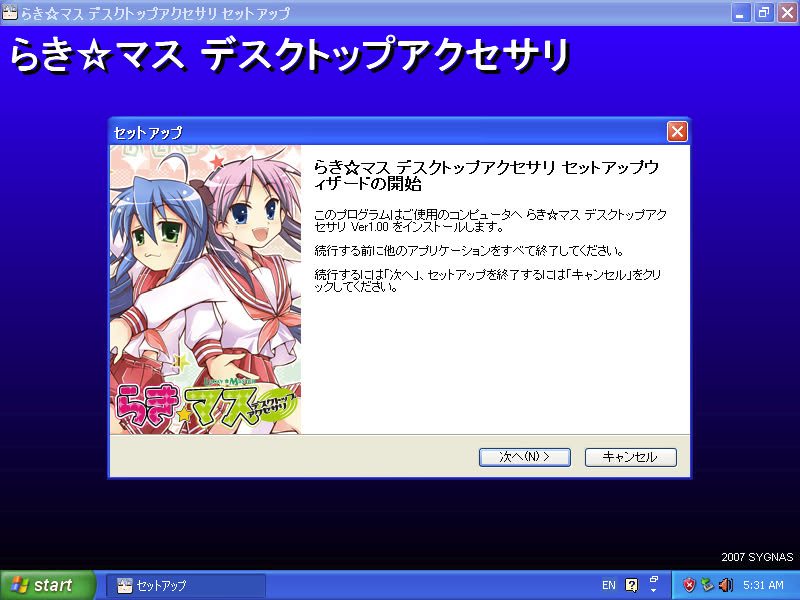
SYGNAS's original wizard: title and body in Japanese (らき☆マス), needs a JP locale to render.
AFTER · English patch
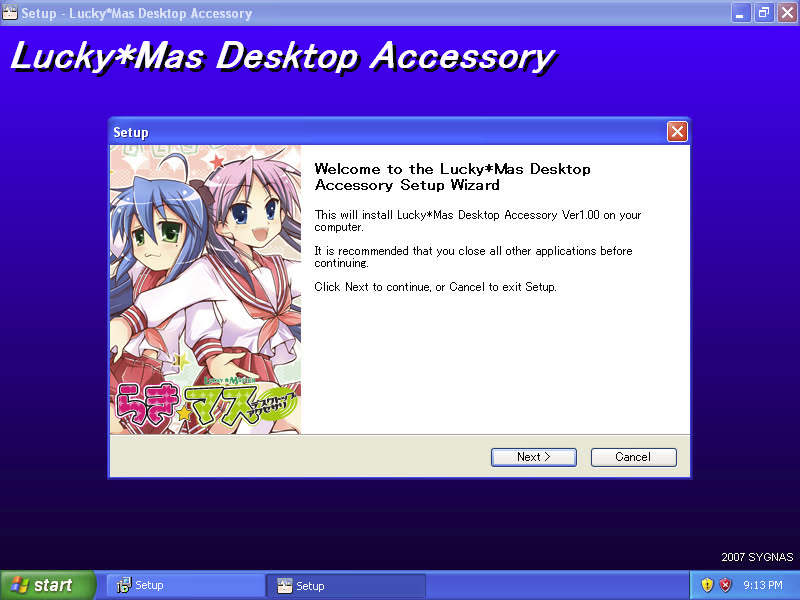
Same layout and art, fully English, rendering on an XP with no language pack via the bundled font.
★ The wallpaper picker, before & after
An HTML picker that opens in Internet Explorer, detects your monitor size and lists 84 wallpapers (14 artists × resolutions). The translation covers the picker UI, the JPG filenames, and even the baked section-header art.
BEFORE · Japanese original
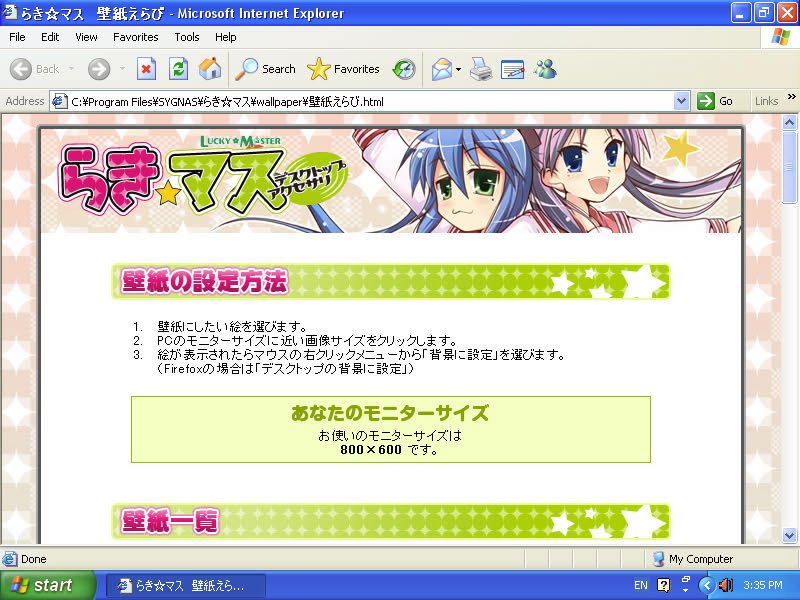
壁紙えらび in IE: instructions and the 壁紙一覧 header all in Japanese.
AFTER · English patch
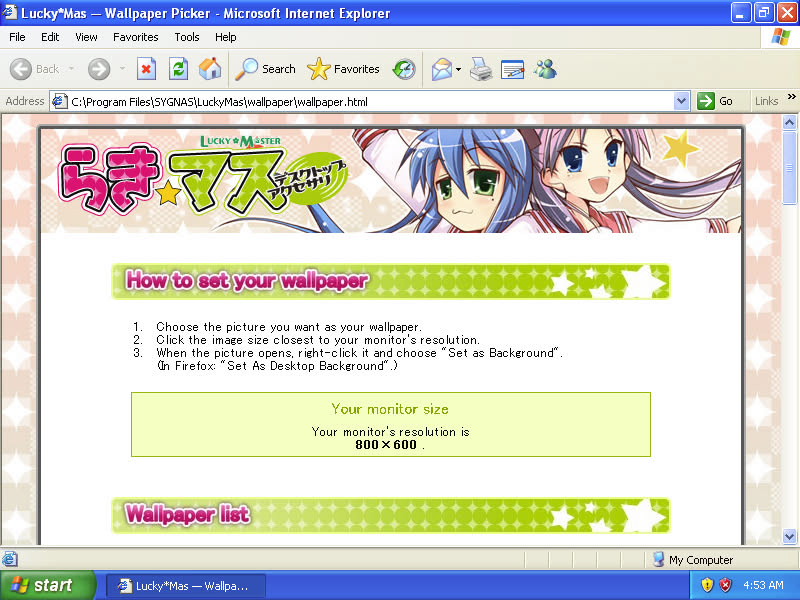
"How to set your wallpaper", the monitor-size box and the "Wallpaper list" header, all English.
★ The translation, in action
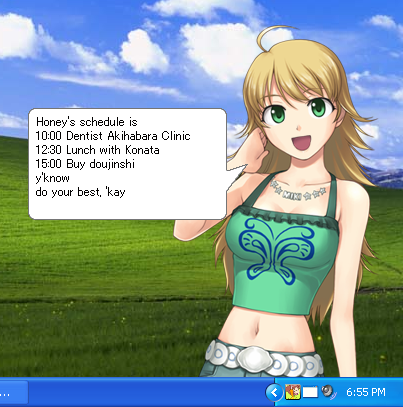
Today's scheduleMiki notifies you about calendar events, served entirely from the local fake-Google server. No account, no internet.
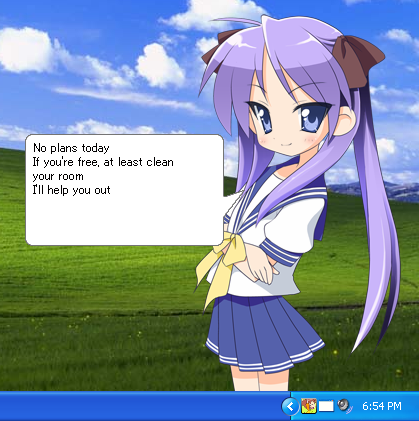
No plans!The empty-calendar bubble, fired on the manual right-click calendar check.
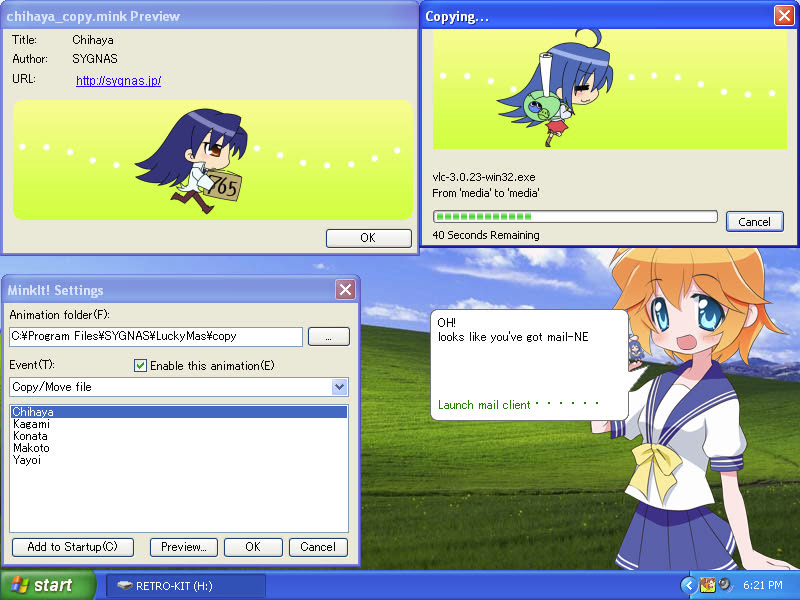
MinkIt copy animationsInstead of XP's standard file-copy animation, MinkIt swaps in a random hand-drawn character. Its Settings and Preview dialogs are Englished too.
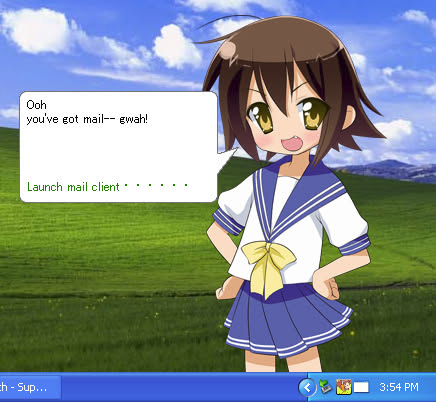
You've got mailThe mail-check bubble over POP3, served by the same local server as a working fake mailbox.
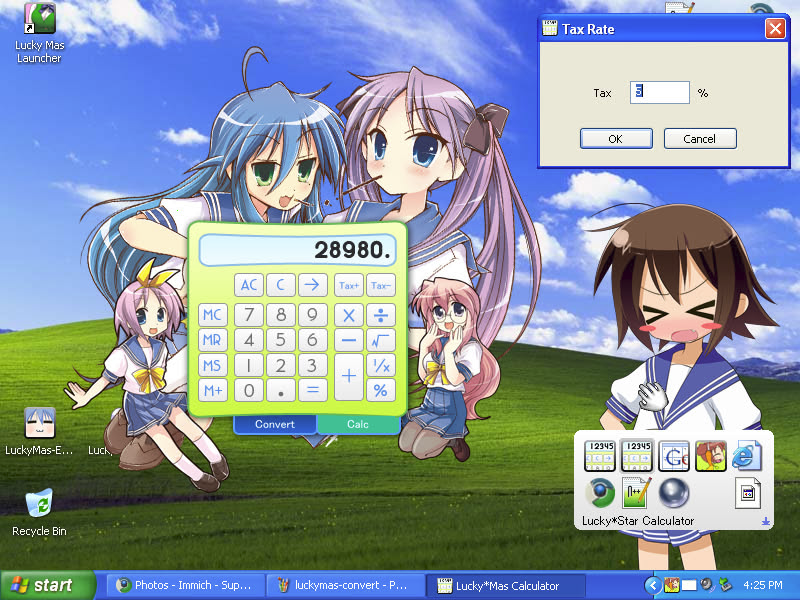
Themed calculatorsThe skinned calculator with its baked button labels (Calc / Convert / Tax+ / Tax-) re-drawn in English.
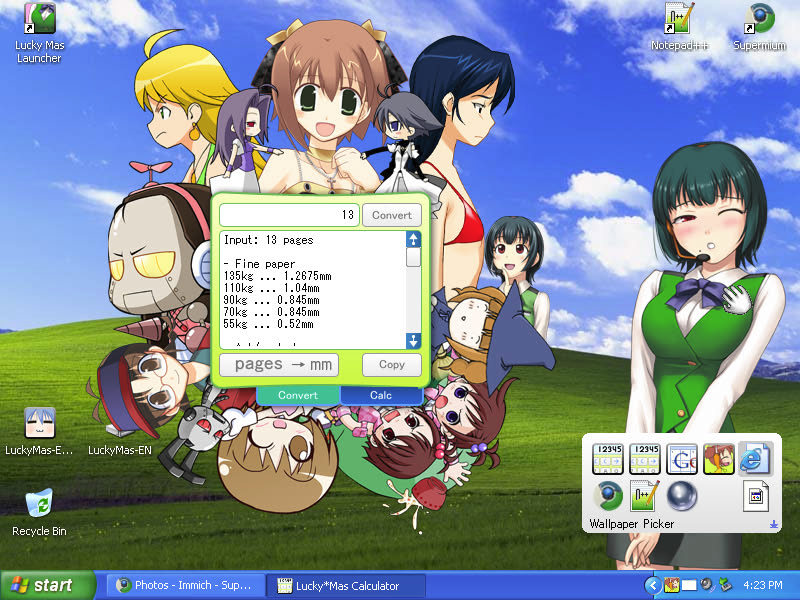
Unit conversionsA grab-bag of ad-hoc utilities for doujin authors and hobby gamedevs: fps to ms, ms to fps, BPM, and page-count to printed thickness across paper weights.

The month gridgcal's full calendar window, reading events from localhost. Fixing this view uncovered a fun little bug.
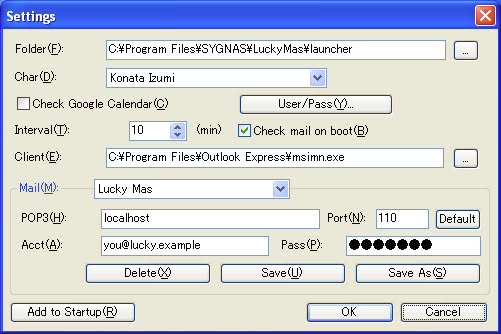
Launcher settingsThe mascot launcher's config dialog, with every menu, label and tooltip translated in the PE resources.
★ The screensavers, brought back
The disc shipped its four screensavers broken: gutted Flash engines with no content, dead on every locale. SYGNAS released working versions as a public apology weeks later, on 2008-01-09, so the patch sources that content and merges it back in, with the filenames made ASCII-safe so they run on any locale. These shots are from a real English XP. The full story is in the screensavers writeup.
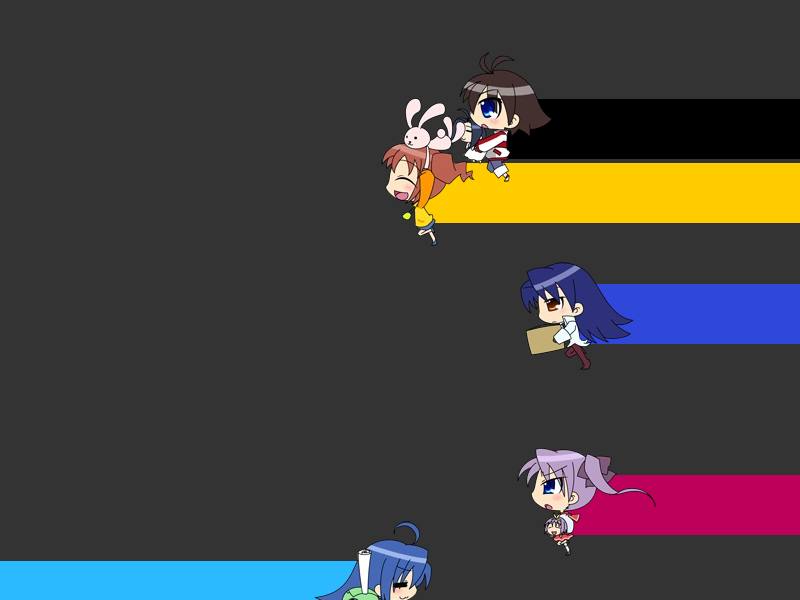
Chibi Characters2D chibi mascots walk across the screen leaving coloured trails.
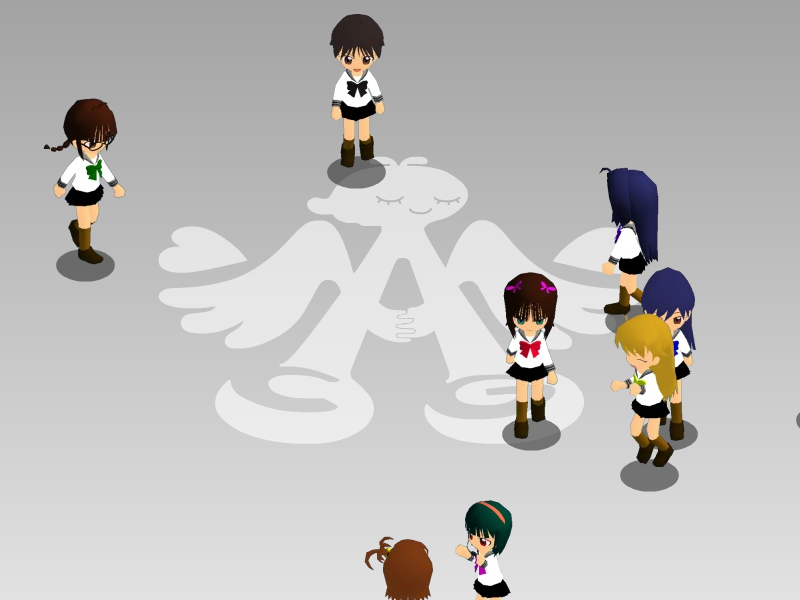
iM@S 3DA busy 3D scene of iDOLM@STER idols walking and crossing paths over the 765 Production wings.

iM@S 4-komaA slow cutscene told one manga panel at a time.

Lucky*Star 4-komaThe Lucky*Star version of the same slow manga-panel cutscene.
★ What's on the disc, and how to use it
| Desktop mascots | MinkIt hijacks XP's file-copy progress animation and swaps in a hand-drawn character (Konata, Kagami, Chihaya, Makoto, Yayoi) instead of the standard bar (a cool hack). Copy or move files in Explorer to play one; right-click the tray icon, open Options, and pick the character or enable it per file operation. The frames live in .mink containers. |
| The launcher | A desktop mascot (22 characters, ~220 dialogue lines, all translated) with speech bubbles. Click her on the chest to open the app launcher (yes, really; an old anime gag): the left half is the main menu (calculators, calendar, copy-animation, wallpaper, Display Properties), the right half a separate second menu, empty by default for your own shortcuts. Right-click her instead for calendar check, mail check and Settings. Both menus and the mascot are set in launcher\Launch.ini. |
| The calendar | Originally logged into Google Calendar (long dead); a native local fake-Google server revives it with no account and no internet. Right click and click Check Calendar, or tick it in the settings. The mascot notifies you about today's events, with unique dialogue for each character. The Google Calendar entry opens the full month grid. Your own events go in gcal-xp\gcalsrv.lua, which hot-reloads on save. |
| Mail check | A "you've got mail" bubble over POP3, served by the same local server as a real, readable mailbox. It fires at startup, or right-click and pick mail check; the bubble opens your mail client (Outlook Express by default). Edit the inbox in the same gcalsrv.lua. |
| Themed calculators | Launch iM@S Calculator or Lucky*Star Calculator from the launcher menu; both are skinned, with script strings and baked-in button labels translated. A doujin unit converter sits alongside them, doing BPM to ms, ms to fps frames, page-count to paper thickness, and tax. |
| Wallpapers | 84 wallpapers (14 artists by resolution) behind an HTML picker. Launch Wallpaper from the menu, then click a thumbnail to set it. Filenames, UI and the baked header art all Englished. |
| Screensavers | Four (iM@S 3D, iM@S Comic, Lucky*Star Comic, Chibi Characters), renamed to their English Display-Properties names. The disc shipped these broken, with no content; the patch restores them from SYGNAS's own 2007 apology release (see the writeup). Set one from Control Panel, then Display, then Screen Saver, and pick a Lucky*Mas entry. |
★ Build your own English disc
You own the disc; this turns it into an English one. Give it your setup.exe and your own copy of MS PGothic, and out comes a drop-in English ISO. One engine drives it on Windows, Linux (Nix) or anywhere with Python.
# Windows (runs Inno Setup natively, no wine):
build.bat --setup D:\setup.exe --font auto

# Linux (Nix):
nix run github:Francesco149/LuckyMasEN#iso -- --setup ~/setup.exe --font auto

# anywhere with Python + innoextract (+ wine on Linux):
python tools/make_iso.py --setup ~/setup.exe --font auto
The freeware build tools are auto-downloaded, version-pinned and SHA-256-verified; the Windows bundle pre-seeds them so it builds offline. Pre-built bundles are attached to the nightly release. Full guide: docs/end-user-build.md.
★ How it works (the writeups)
★ Get the original & credit the authors
The disc is out of print; this patch applies to your own copy, which you can find second-hand on Suruga-ya. Every character, frame and line of original software is © SYGNAS. The creator is SYGNAS (ダダ), x.com/sygnas. This is an unofficial fan project, not affiliated with or endorsed by SYGNAS, made only to keep their work alive on modern machines.
Support this reverse-engineering & preservation work at ko-fi.com/lolisamurai.